Free · Local-first · Open

Your project.
One file.
Always yours.

Chartdown turns your entire project — phases, tasks, risks, stakeholders, notes — into a single Markdown file you own and control.

No sign-up. No credit card. Your data stays on your device.
app.chartdown.com
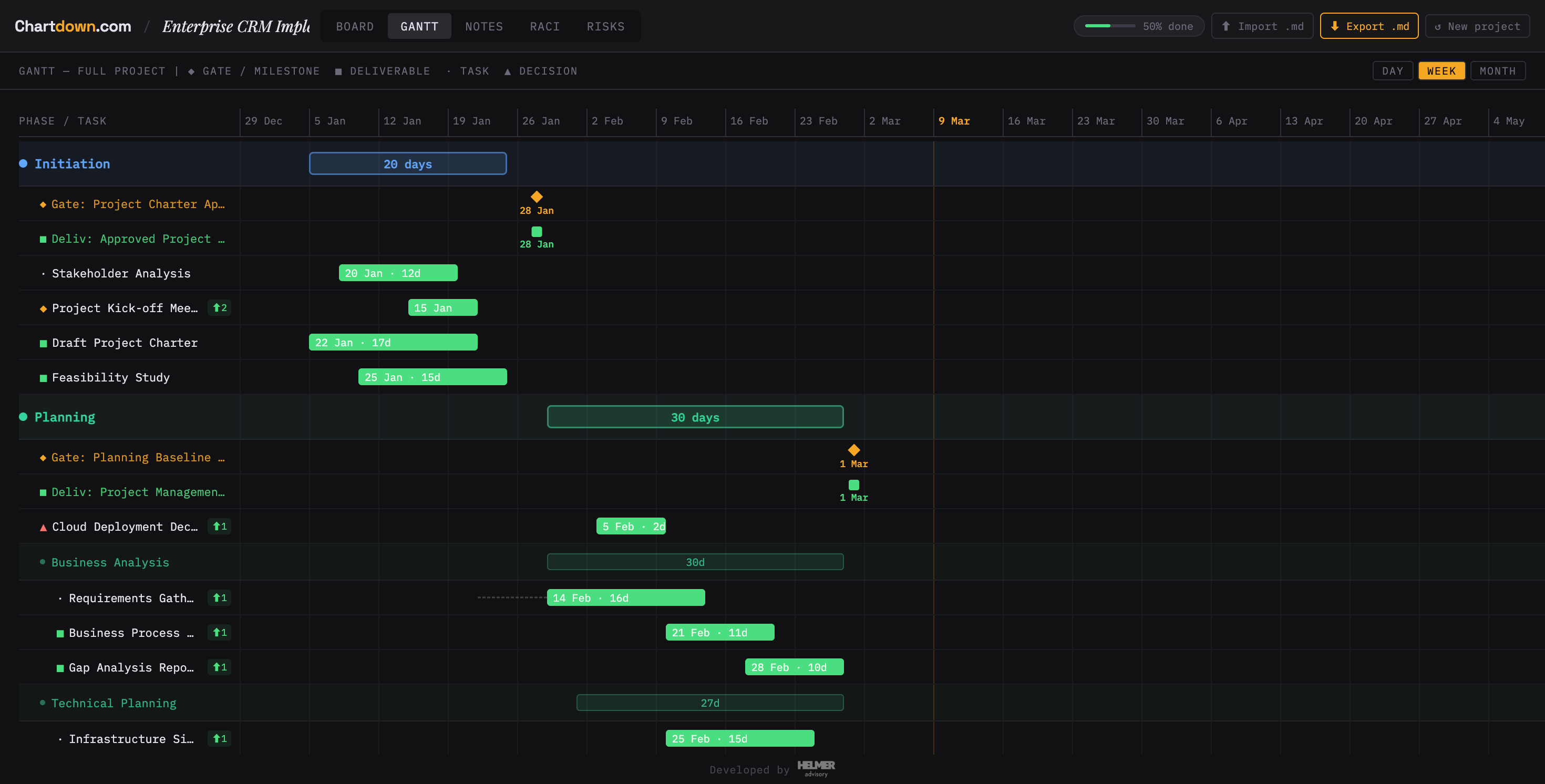
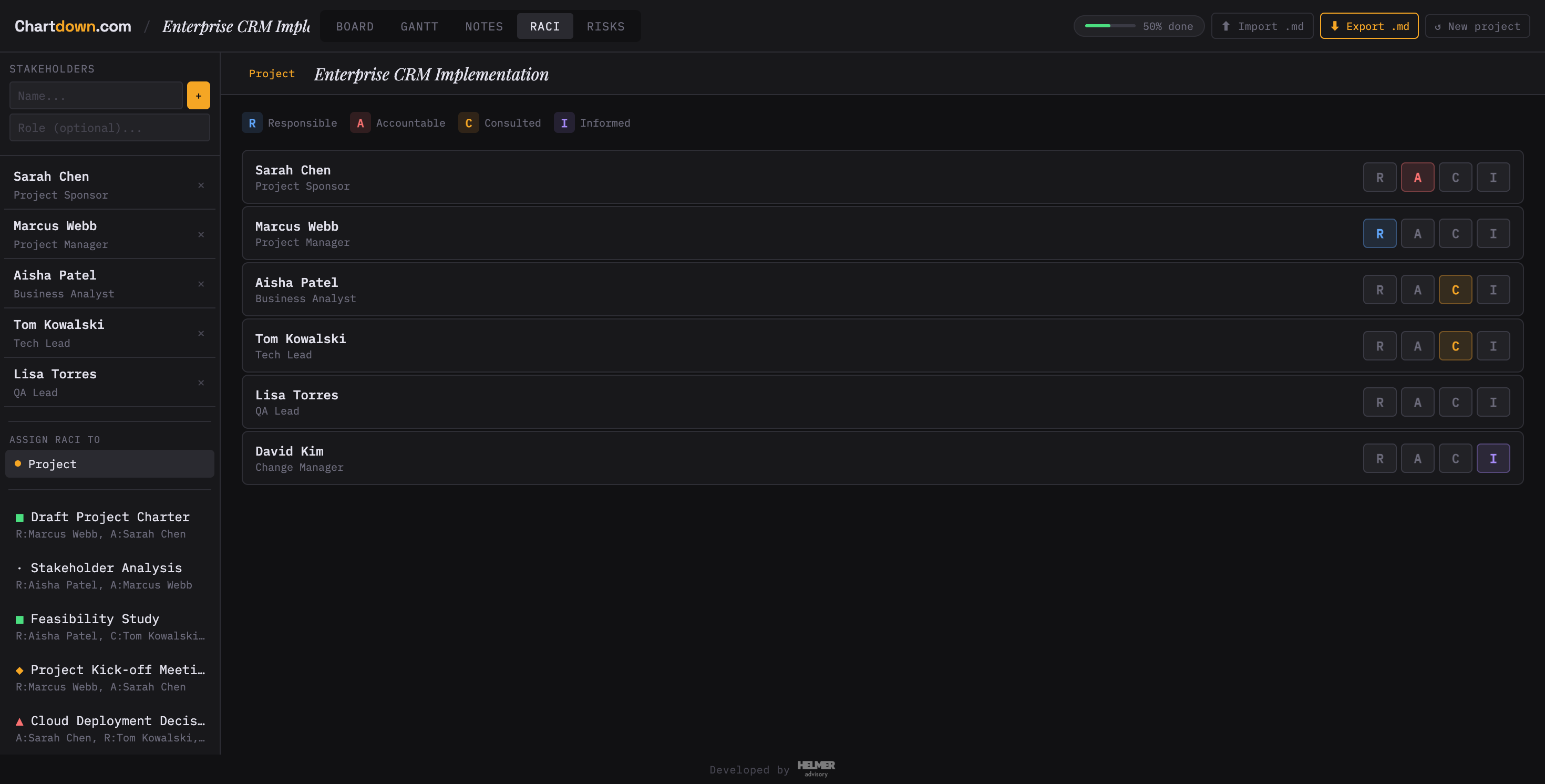
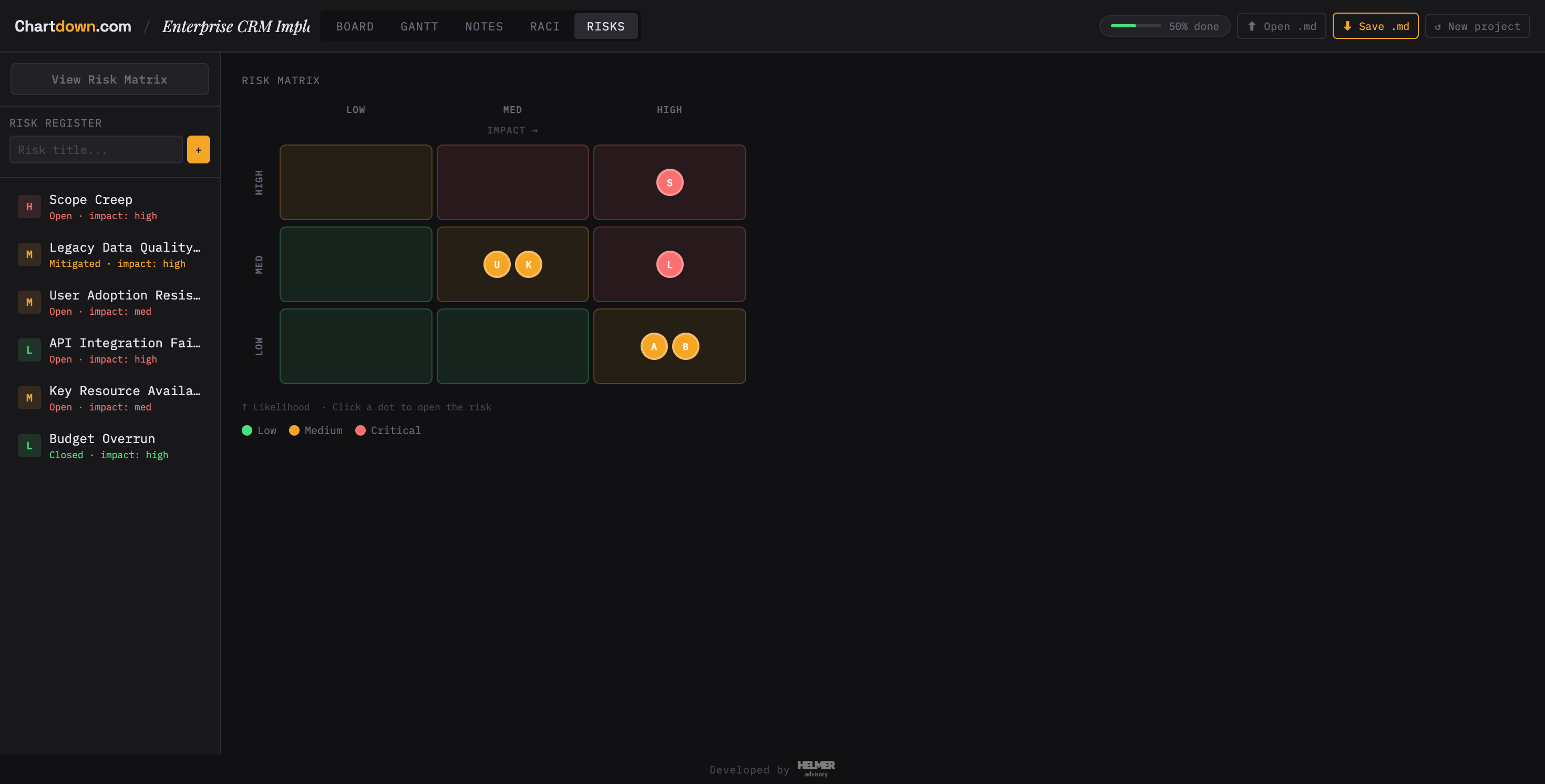
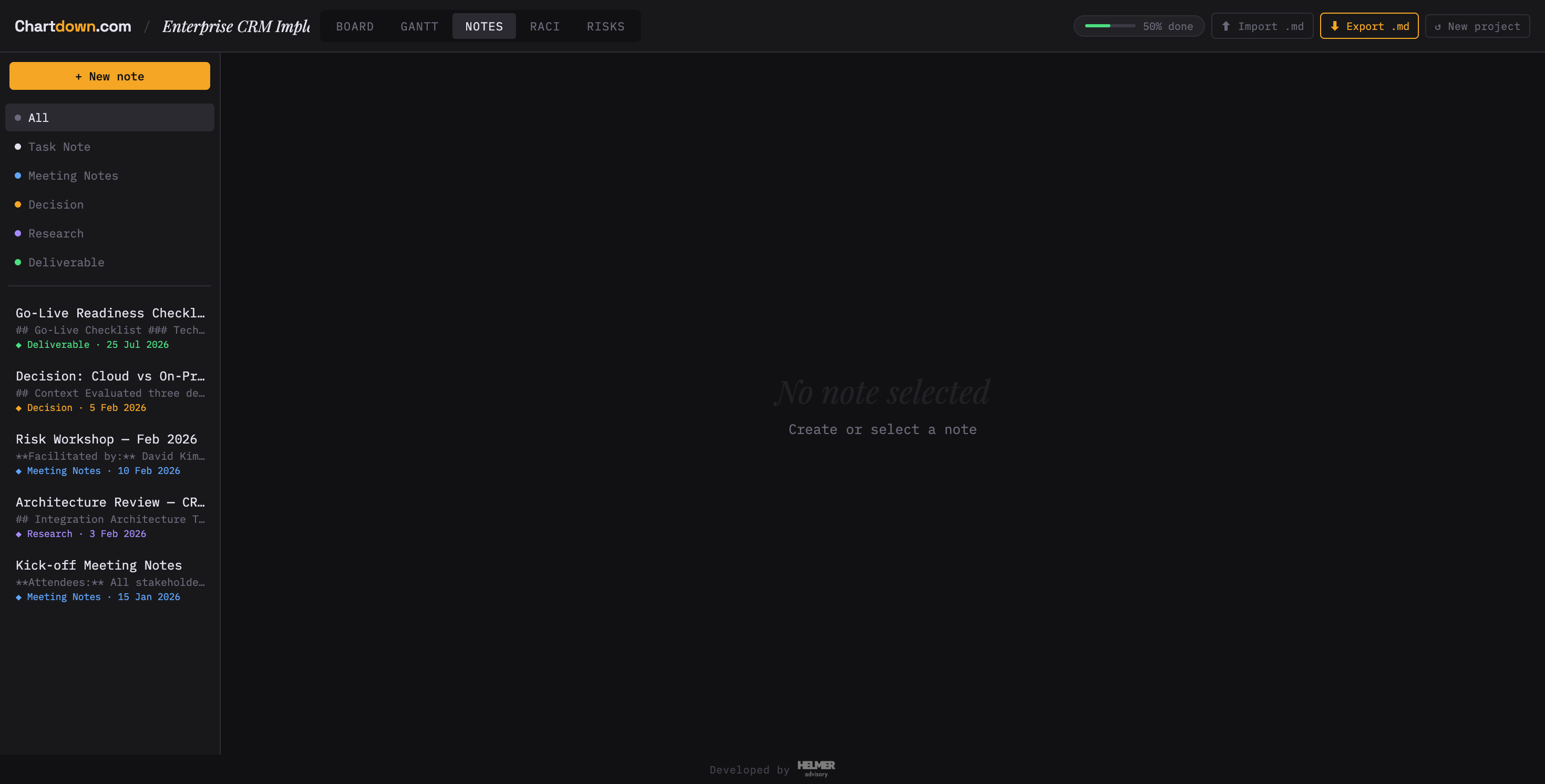
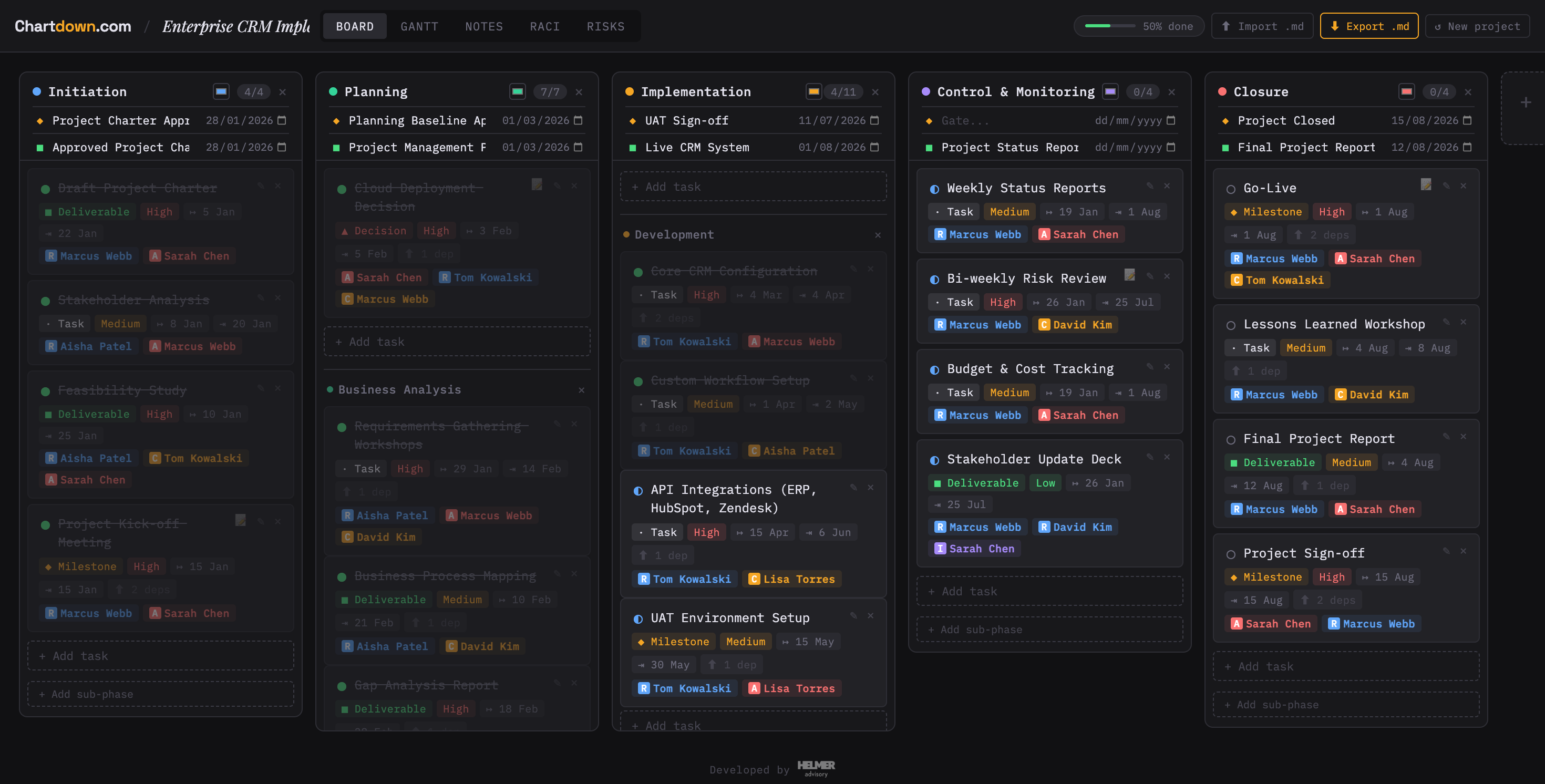
Chartdown board view — Kanban-style project phases with tasks, owners, and milestones Chartdown Gantt chart view — timeline with phases, tasks, and dependencies Chartdown RACI matrix — stakeholders assigned to project and task roles Chartdown risk matrix — likelihood × impact grid with plotted risks Chartdown notes view — decision log with markdown content

Project tools
work against you.

Most project management software locks your data in proprietary databases you can't read, export, or own. They charge per seat, add tiers as you grow, and make AI integration a paid add-on or a clumsy workaround.

Chartdown is different. Your project is a file. A plain Markdown file that lives wherever you put it.

  • Proprietary formats you can't export cleanly
  • Per-seat pricing that punishes growing teams
  • AI integrations that require API keys and subscriptions
  • Data you can't move when you leave

Built on three principles.

🔒
Your data, your file
Everything saves as a .md file on your device. No account required, no server in the middle, no vendor to go bankrupt.
🤖
Perfect AI context
Paste your file into any LLM and instantly get risk analysis, status summaries, or a new sprint plan. Structured, readable, token-efficient.
🆓
Free, forever
No seats, no tiers, no lock-in. Open the app and start. The model is simple: if Chartdown is useful, you'll tell people about it.

Three steps.
No surprises.

01
Open the app
Go to app.chartdown.com — no sign-up, no install, no onboarding flow. Choose a template or start blank.
app.chartdown.com
02
Build your project
Add phases, tasks, risks, a RACI matrix, stakeholders, and notes. View it as a Gantt chart or risk matrix as you go.
03
Export as .md
Save it locally, in iCloud, Dropbox, or a Git repo. Or paste it directly into ChatGPT, Claude, or any LLM.
project.md

Everything a project needs.
Nothing it doesn't.

Project templates
ISO 21502:2020, Waterfall, Scrum, Agile, and Kanban out of the box.
Gantt chart view
Visualise phases and task dependencies on a timeline.
Risk matrix
Likelihood × impact grid. Track mitigations and owners.
RACI management
Define roles at both the project and task level.
Stakeholder registry
Track who's involved, their influence, and communication needs.
Notes & decision log
Capture decisions with context so you never lose the "why".
Task dependencies
Link tasks and let the Gantt reflect the actual critical path.
Works offline
No internet required once the page loads. It's just a browser app and a file.

"The best context you can
give an AI is your project file."

Your .md file is structured, human-readable, and token-efficient. Drop it into ChatGPT, Claude, or any LLM and ask a question. No integrations. No API keys. No paid add-ons. Just paste and ask.

Example prompts
"What are my top three risks this week and what should I do about them?"
"Draft a status update for my project sponsor. Keep it to one paragraph."
"Which tasks are blocking the go-live milestone? Who owns them?"
"Plan a sprint for next week based on what's overdue and what's coming up."
1 · Your .md file
crm-project.md
# Enterprise CRM Implementation status: active · 50% done ## Risks - API dependency · high/med - Resource Q3 · med/low - Scope creep · med/high ## Phase 2 — Implementation - [x] Core CRM config - [ ] API integrations @Tom · overdue - [ ] UAT environment
copy · paste
2 · Ask your AI
Claude · ChatGPT · Copilot
You
[pasted crm-project.md]
"What are my top risks this week?"
AI
Your top 3 risks:

1. API dependency — high likelihood, no fallback vendor identified yet.
2. Scope creep — no formal change gate before Phase 3.
3. Resource Q3 — low impact, monitor only.

Suggested action: Prioritise Tom's overdue API task — it's on the critical path to UAT.
Works with GitHub Copilot, Microsoft Copilot, ChatGPT, Claude, Gemini, or any model that accepts text. No special format, no integration.

Fits any org.
Requires nothing from IT.

🏢
Your environment, your rules
Project files live wherever your org already stores data — a network drive, SharePoint, iCloud, or a Git repo. No new vendor, no data leaving your perimeter.
🛡️
Zero data exposure
Chartdown runs entirely in the browser. Nothing is sent to our servers. Your project data never touches a cloud you don't control.
📋
No procurement needed
It's free. No contract, no seats, no MSA. Open a browser, build a project, save a file. Any team member can start today.
Works with your AI tools
GitHub Copilot Chat
Microsoft Copilot (M365)
Claude (Anthropic)
ChatGPT (OpenAI)
Any LLM with file or paste input
Your .md file is plain text. Paste it into any enterprise AI tool your org already licenses — Copilot, Claude for Work, or a self-hosted model — and ask questions about your project. No integration. No setup.

Honest roadmap.

Chartdown is actively developed. Here's what's planned — no ETAs, just direction.

planned Multi-user collaboration on a single project file
planned Cloud sync (iCloud, Dropbox, Google Drive)
planned Gantt export for presentations and reports
planned Grid / spreadsheet view for task lists
planned Direct sync to Claude, ChatGPT, and Gemini — send your project file with one click